How it works

One bundle of pages, tied together by you.

Four moves take you from a scattered folder of CVs to a resume you can tailor in minutes.

WritePut your whole career in one place.

Start with a master profile: every job, project, skill and bullet you've written, even the ones that don't fit on one page. Type it in once, or bring it over from a JSON Resume file. Already have a polished PDF? Upload it and host it as it is while you build the rest.
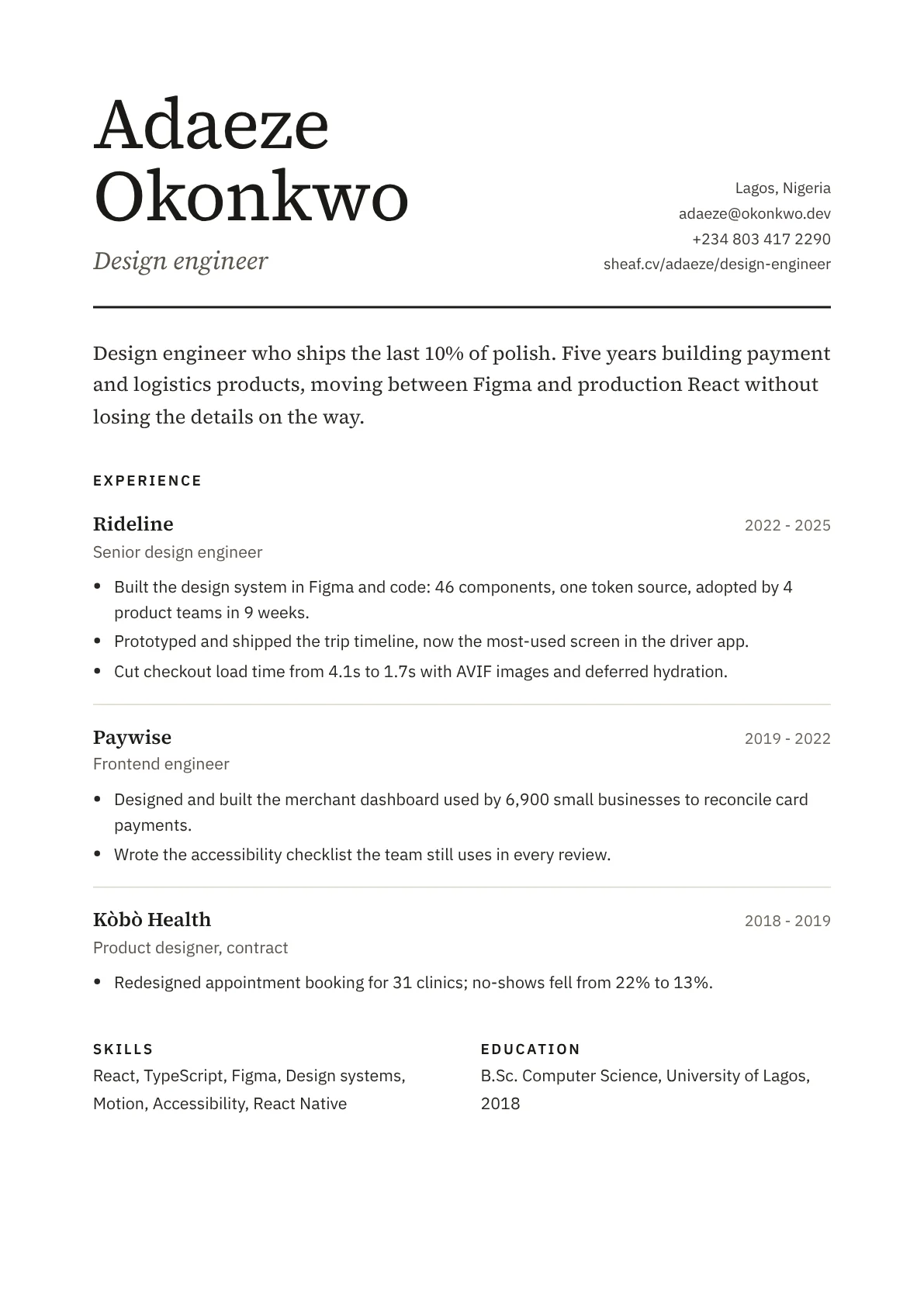
Resume page, Design engineer variant

TailorMake a variant for each kind of role.

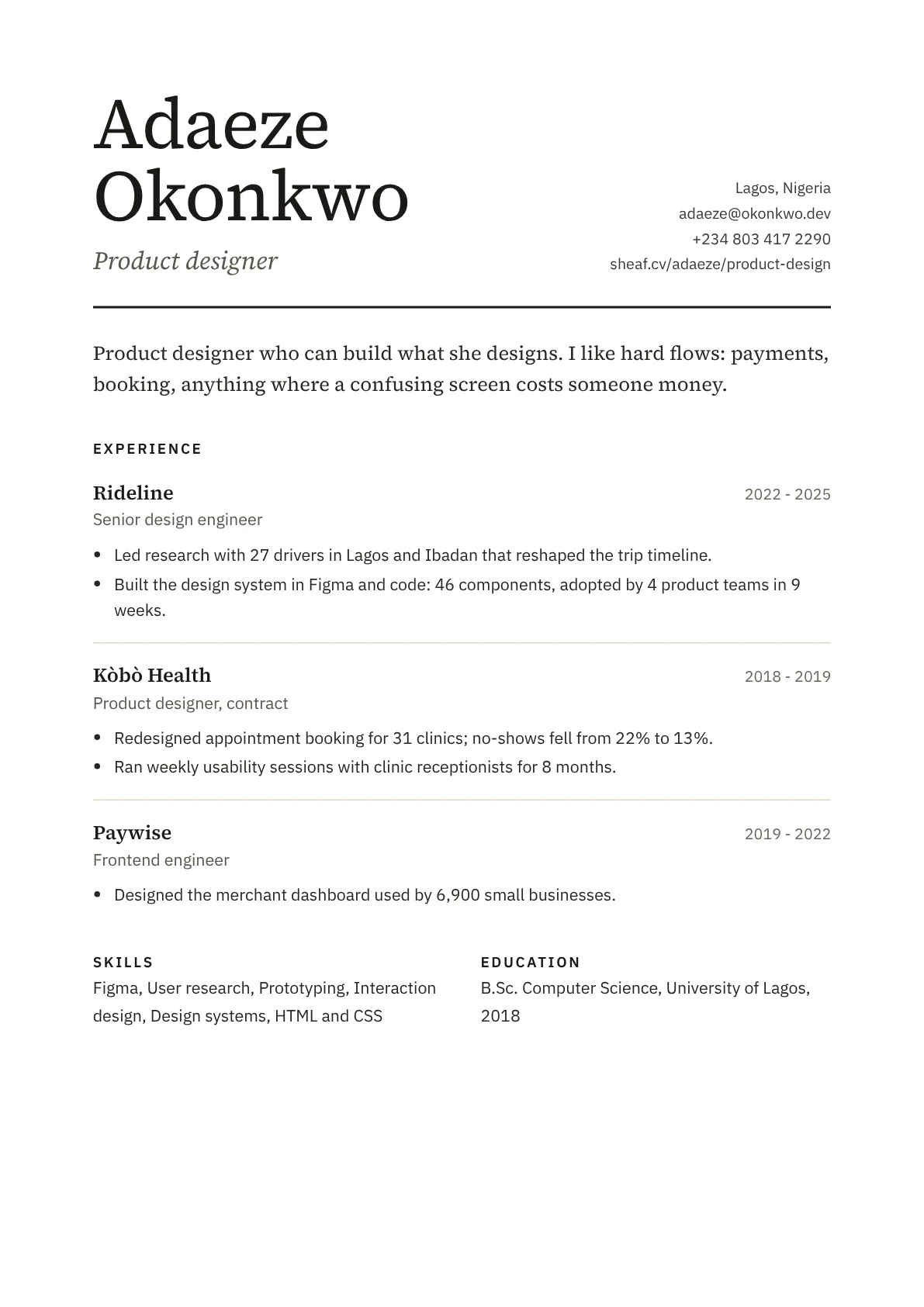
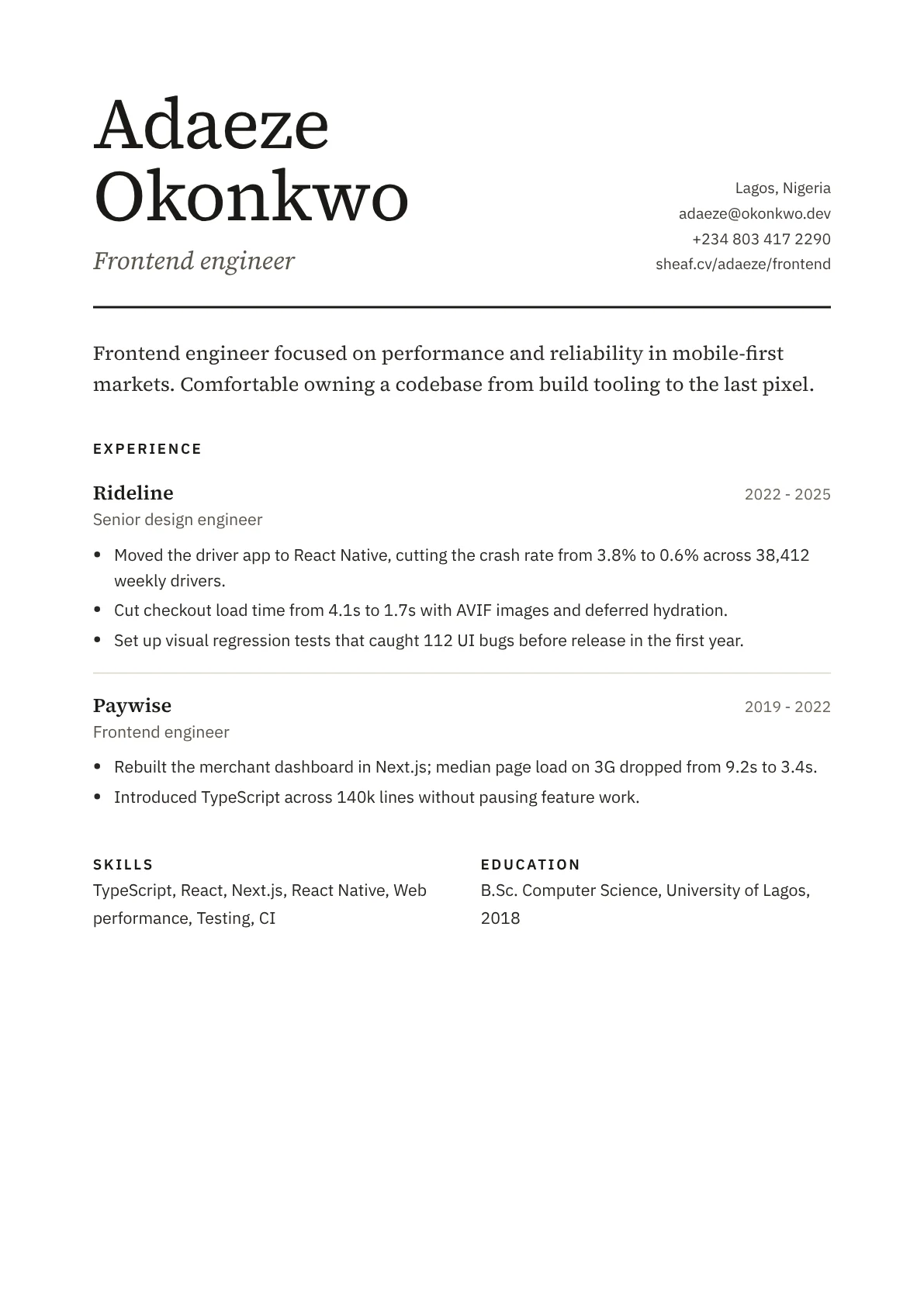
A variant picks from your master profile. Choose which jobs and bullets it includes, reorder them, and rewrite any line just for that role. Rewritten lines fold at the corner so you can always find them.

Resume page, Design engineer variant

PublishGive every variant its own link.

Publish a variant, or an uploaded CV, to an address like mysheaf.link/adaeze/frontend. Choose who can open it: anyone, anyone with the link, people with a password, or only you.

Resume page, Design engineer variant

ShareSend it, then see it get read.

Paste the link into an application or a message. Recruiters get a fast web page, a page view at true paper size and a real-text PDF. You get a quiet count of how often each variant is opened.

Resume page, Design engineer variant

Design engineer

Opened 14 times this week

Questions people ask first

What's the difference between my master profile and a variant?

The master profile is everything: every job and bullet you've written. A variant is a selection from it, in an order you choose, with any lines you've rewritten for that role. Change the master and every variant that uses that line updates, unless you've rewritten it inside the variant.

Can I just upload the CV I already have?

Yes. Upload a PDF (up to 3 MB and 4 pages) and Sheaf hosts it as a clean page with its own link and view counts. Replace the file whenever you update your CV and the link stays the same. An upload uses one of your published pages, and you can turn it into an editable variant whenever you want to start tailoring.

Will a recruiter see Sheaf branding on my resume?

No. Public pages, PDFs and uploaded CVs carry your name and your own design. There's no Sheaf logo on them.

Can applicant tracking systems read my PDF?

Yes. PDFs are generated from the same page you see, with real selectable text, standard headings and no text baked into images.

What happens to a link if I unpublish a variant?

The link stops working straight away and shows a plain page saying the resume isn't available. Publish again and the same link comes back.

Can I take my data with me?

Yes. Export your master profile as a JSON Resume file at any time, and any variant as a PDF.

Start with the master profile. The rest follows.

Join the waitlist